


- Overview
- Features
- Specifications
- Accessories
- Warranty
- Video
Overview
Simple one-touch scanning experience
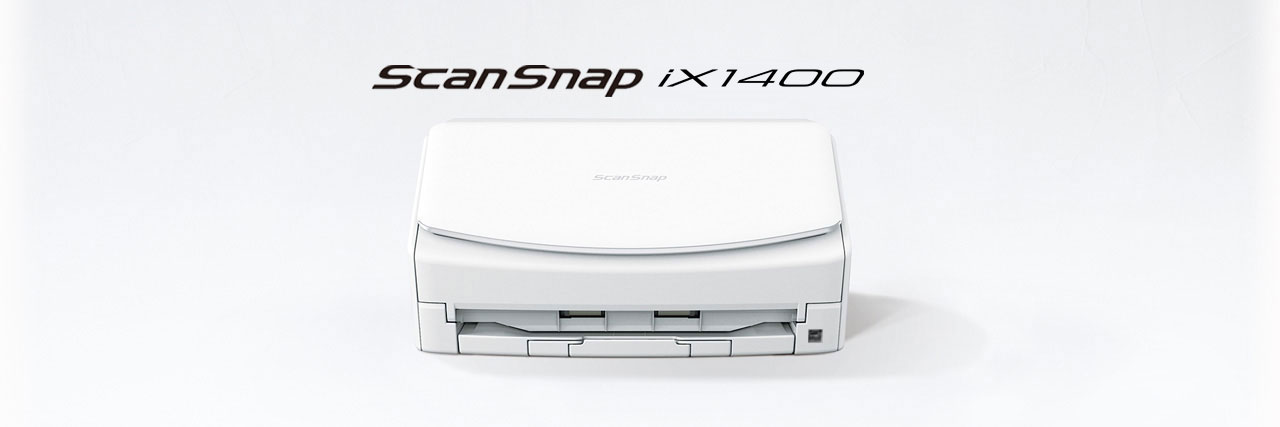
ScanSnap iX1400 is equipped with simplicity and does not compromise on speed and image quality. Users are able to experience scanning with the push of one-button. It is a simple and secure model that comes with USB connectivity that allows customers to scan in environments where use of Wi-Fi is limited.
• Simple operation with just one-button
• Equipped with USB connectivity, hence removes the worry on Wi-Fi availability
• Speedy scan up to 40 ppm/80 ipm (A4-size documents, color, 300dpi)
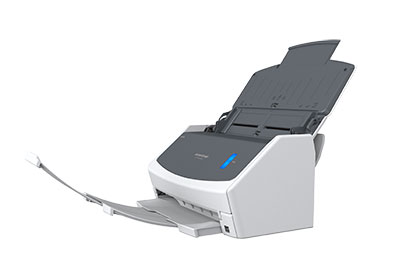
• 50 sheets Automatic Document Feeder (ADF)
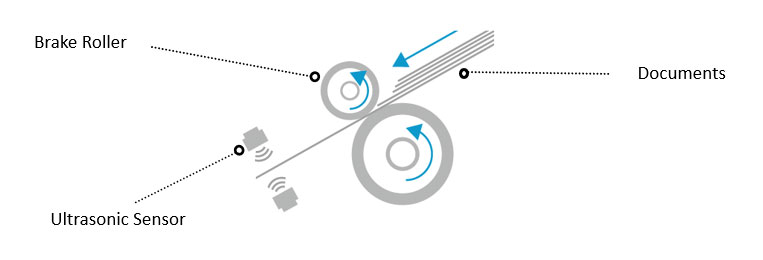
• Ultrasonic Sensor and high-quality Brake Roller for stable feed
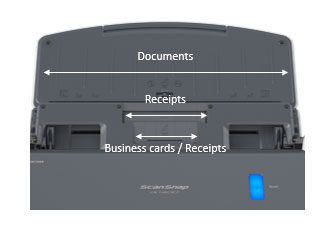
• Receipt Guide provides stable scanning for inconsistent paper sizes
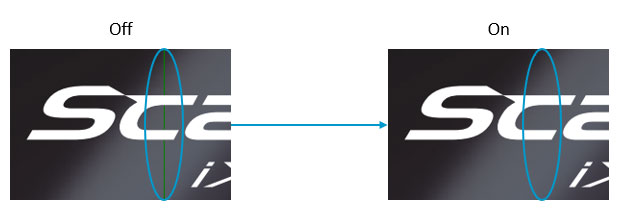
• Streak Reduction producing clean images
• Best experience with ScanSnap Home
• Conventional software ScanSnap Manager also available

Features
Simple operation with USB connection
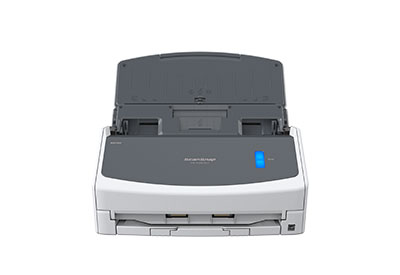
ScanSnap iX1400 is the model dedicated to providing a simple, one-touch experience. It scans with a single touch of the button, with no compromises on performance and image quality.
Leave behind the worry of Wi-Fi connectivity
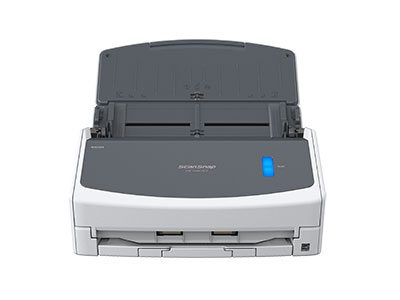
Equipped with USB connection, the device scans to the computer so that users do not need to worry about network availability.
Stress-free usability for any users
The iX1400 comes with an intuitive interface that is easy to use and provides you with a peace of mind while you carry out your tasks.
Steady and versatile paper feeding
Inheriting the Ultrasonic Sensor and the Brake Roller from our business scanners, the iX1400 continues to provide superior reliability for various paper types. Each paper is fed individually to prevent feeding errors.
Have images clean all the time
The iX1400 produces consistent, high quality and clean images. Even if streaks do appear on scanned images, the Streak Reduction function removes them, reducing the hassle of time-consuming rescans.
Scan receipts and much more
The iX1400 can scan small documents easily with the Receipt Guide. No need to be concerned about fixing receipts and business cards that tend to curl or skew. Designed to be a comfortable fit even when the cover is closed, it reduces handling of documents before hitting the scan button.
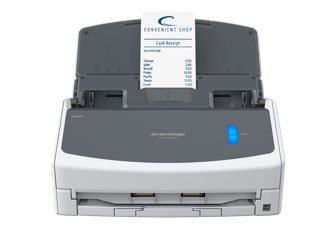
Best experience with ScanSnap Home
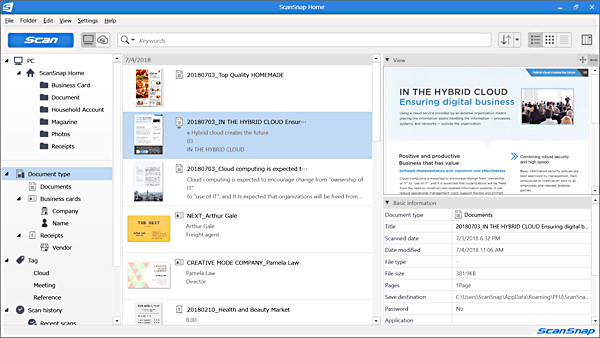
ScanSnap Home combines all your favorite functions into one and is the ultimate platform to utilize scanned data in various ways. Easily manage, edit and utilize data from documents, business cards, receipts and photos with the software. You can scan large volumes of various types of documents from color photos to double-sided landscape documents with a host of intelligent automatic image processing functions.

Specifications
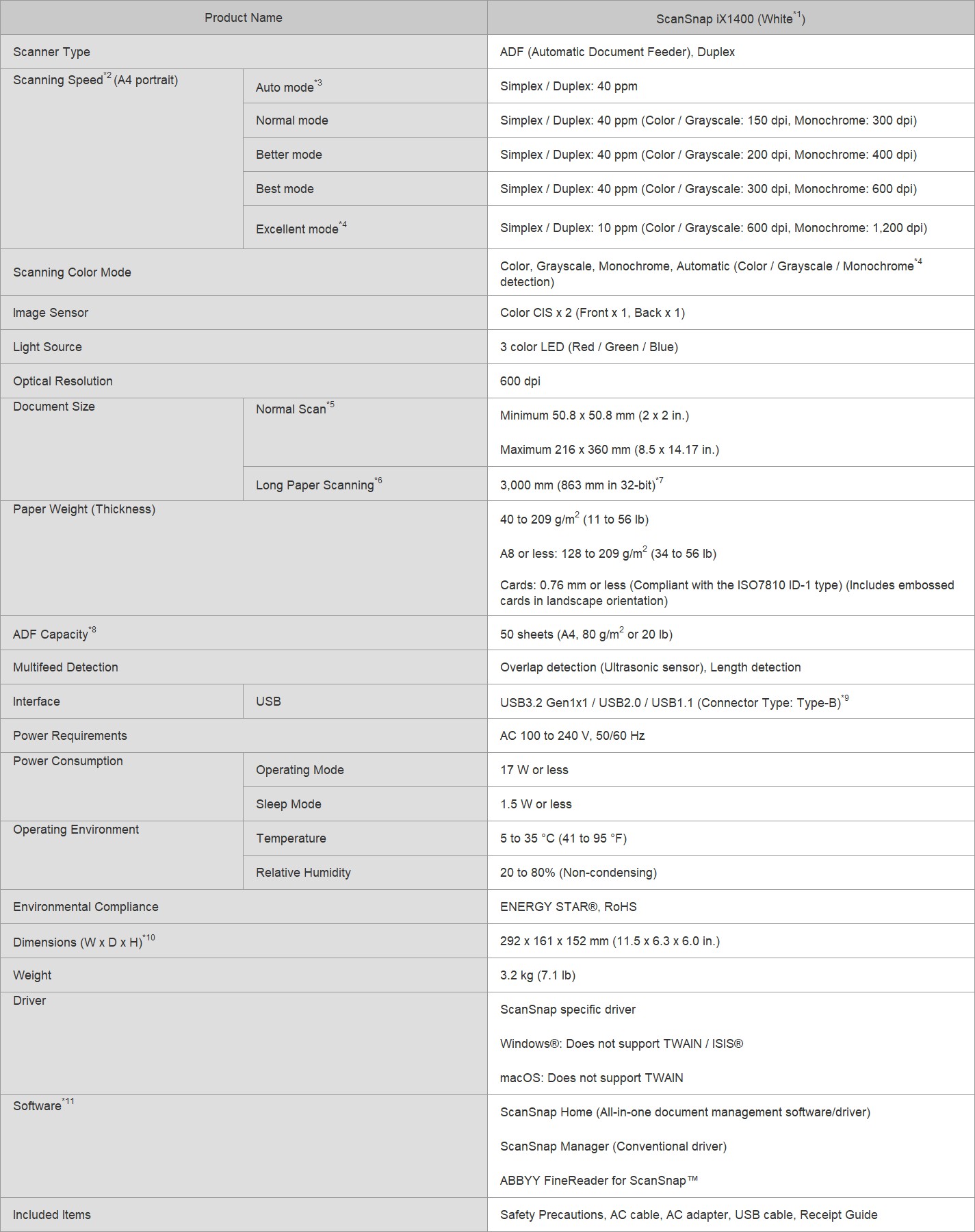
1. Available colors vary depending on region.
2. Scanning speeds may vary due to the system environment used.
3. Scans will be made in "Best mode" if shorter sides are less than 105 mm and in "Better mode" if not.
4. Available only when connecting to a computer.
5. A3 scans are possible with use of A3 carrier sheets.
6. Available in all modes except for "Excellent mode".
7. Indicated specifications apply when using ScanSnap Home.
8. Maximum capacity varies, depending upon paper weight.
9. Some computers do not recognize the ScanSnap when it is connected to a USB 3.2 Gen1x1 / 3.0 port. In this case, please use a USB 2.0 cable.
10. Excluding the stacker and other external attachments.
11. Installation and updates require Internet availability. Software/driver updates to the latest versions are recommended.
System Requirements for PC
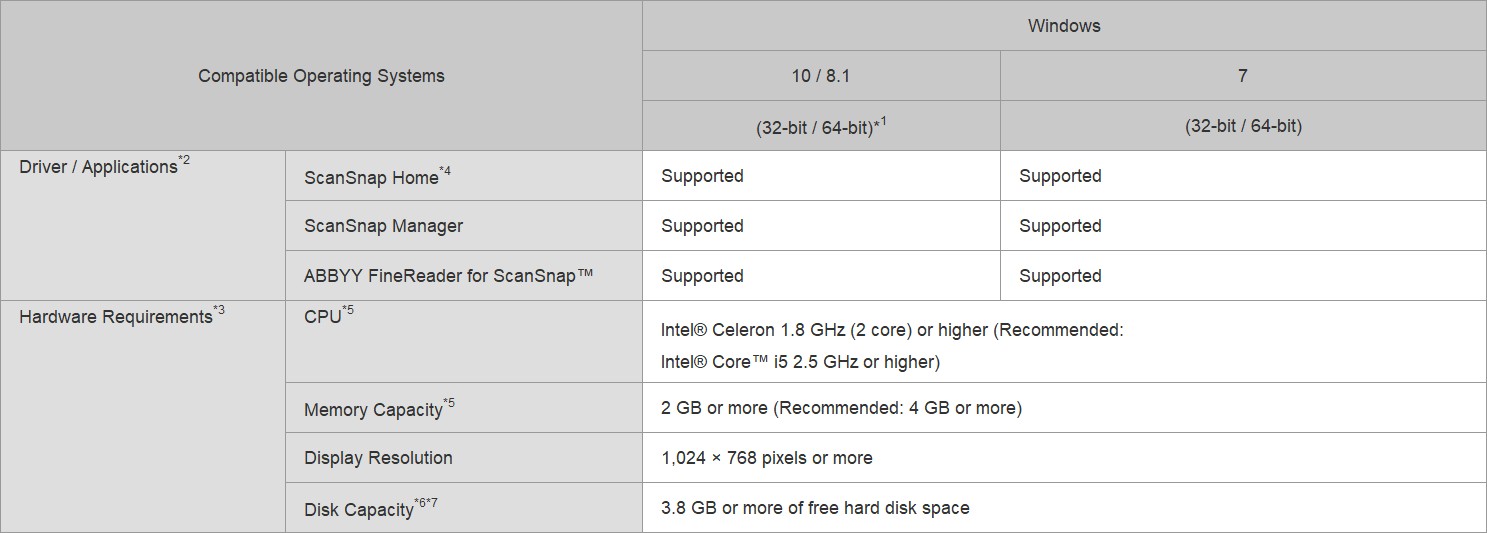
1. Operate Windows in desktop mode. ScanSnap scanners do not run with Windows® 10 ARM-based PCs such as Surface® Pro X (Microsoft®).
2. Operating systems listed in this table are the only ones supported. Please refer to the ScanSnap Support site for the latest support information.
3. The ScanSnap device may not work if the connected computer does not meet these requirements.
4. ScanSnap Home Installation requires a computer and Internet. Activation is also necessary for software use. Please visit the ScanSnap Support site for download information.
5. Scanning speeds may drop if the recommended CPU, memory capacity and USB 1.1 requirements are not met.
6. Indicated disk capacity requirements apply when downloading ScanSnap Home.
7. .NET Framework 4.7 or later must be installed. If it is not installed, it is installed with ScanSnap Home. Up to 4.5 GB of disk space is required for the installation.
*The system requirements may change depending on the support policies of the above system and third-party software.
System Requirements for Mac
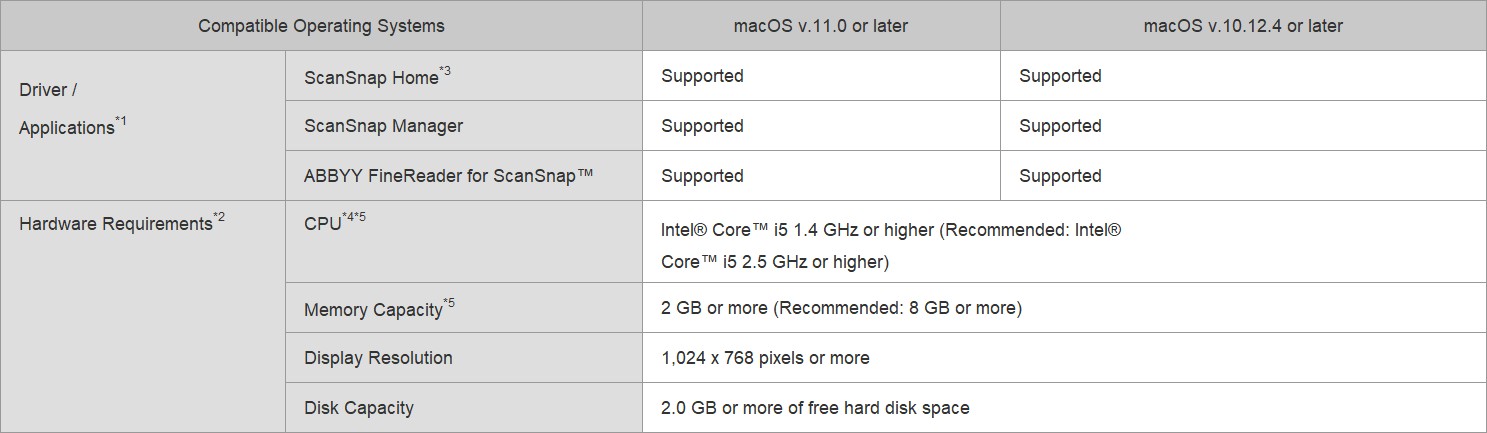
1. Operating systems listed in this table are the only ones supported. Please refer to the ScanSnap Support site for the latest information.
2. The ScanSnap device may not work if the connected computer does not meet these requirements.
3. ScanSnap Home Installation requires a computer and Internet. Activation is also necessary for software use. Please visit the ScanSnap Support site for download information.
4. The ScanSnap device also operates with Apple Silicon-based Mac computers. Please refer to the ScanSnap Support site for the latest information.
5. Scanning speeds may drop if the recommended CPU, memory capacity and USB 1.1 requirements are not met.
*The system requirements may change depending on the support policies of the above system and third-party software.
System Requirements for iOS / Android™ / Kindle Fire (ScanSnap Connect Application)
Please refer to ScanSnap Connect Application specifications page.
Accessories
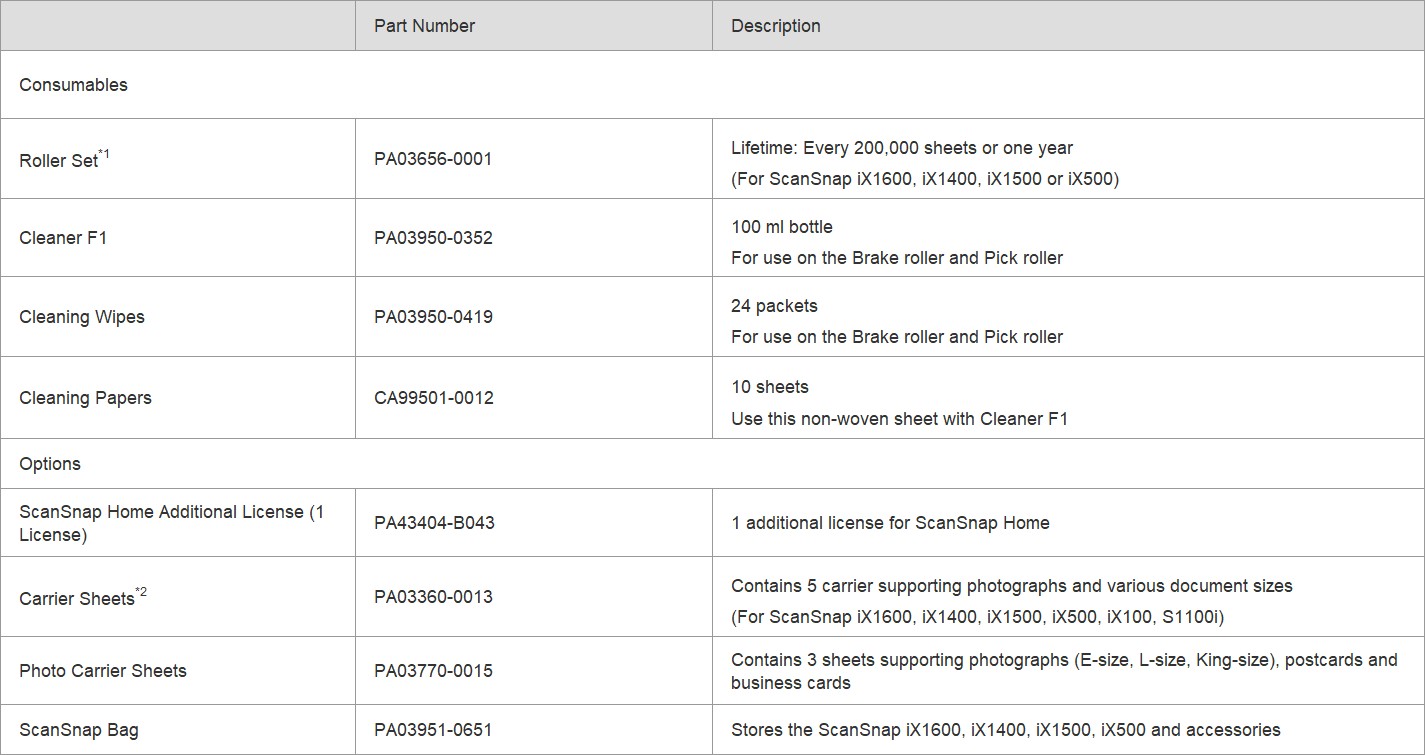
1. These recommended lifetimes are for 80 g/m² (20 lb) A4 sized documents. Therefore, appropriate replacement lifetimes may vary for other document types.
2. Although ScanSnap Carrier Sheets have a listed lifespan of 500 scans, the lifespan may vary with usage. ScanSnap Carrier sheets are intended to scan paper documents with weights of 127 g/m2 or less. They also support the scanning of folded documents that are as large as 216 x 297 mm.
*It is recommended to use original or approved accessories for consumables, options and cleaning kits, specially designed for your device. Device failures, troubles and damages arising from use of OEM or 3rd Party accessories may render your warranty invalid and incur charges for repair even during the warranty period.
Warranty
Find out the details about your product's warranty and information on how to extend your warranty.
Warranty Information (Worldwide)
Video