


- Overview
- Features
- Specifications
- Accessories
- Video
- Warranty
Overview
Productivity unleashed
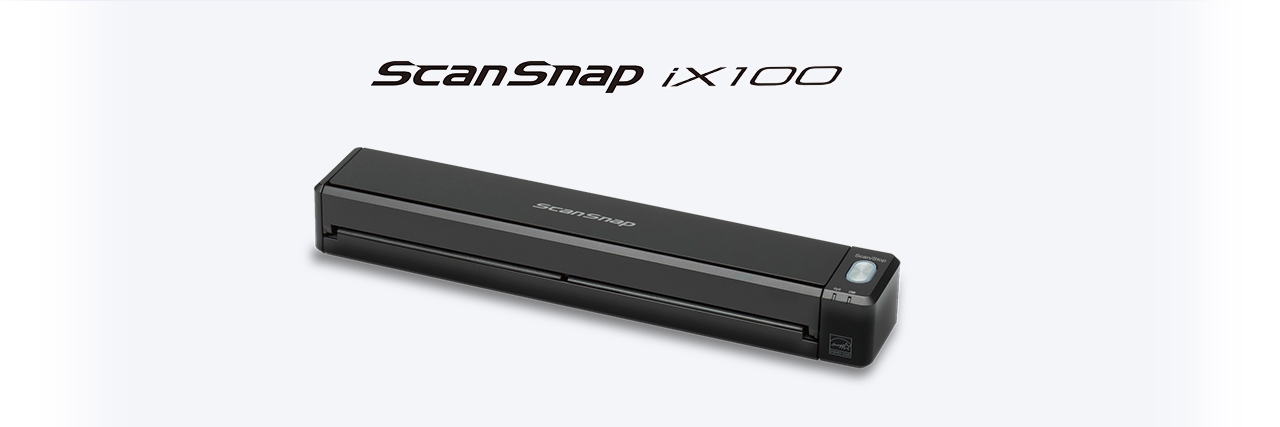
The ScanSnap iX100 is dramatically compact battery powered ScanSnap. Whether scanning receipts, contracts, recipes, or plastic cards, the iX100 takes scanning beyond the desktop and into your mobile world. Completely wireless and weighing only 400 grams, the iX100 brings mobility and wireless scanning to your PC or Mac as well as iOS or Android device.
• One touch scanning
• Scan wirelessly to PC, Mac, iOS or Android mobile devices
• Battery powered
• Scan a color document in 5.2 seconds
• Dual Scan for scaning two small documents at the same time
• Auto two page stitching for scanning documents larger than A4
• Built-in GI microprocessor
• Best experience with ScanSnap Home
• Conventional software ScanSnap Manager also available
• Device-less scanning with ScanSnap Cloud

Features
Change paper into valuable information with a touch of the button
The ScanSnap iX100 builds on ScanSnap's "One Button Simplicity" and provides a host of productivity features so that you can keep ahead of the stack with a single touch of the button.
Combining portability and speed to provide ease at fingertips
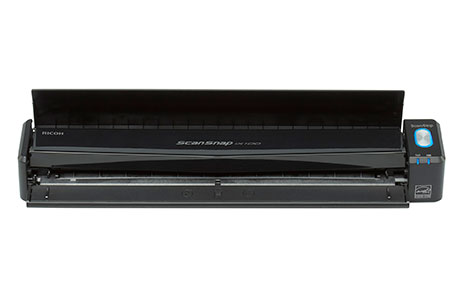
Regardless of its Wi-Fi connectivity, the iX100 is ultralight weighing a mere 400 grams. Battery-powered operation allows users to scan without being wired to specific locations for mobile usability. Document scanning speeds of 5.2 seconds per page at 300 dpi, even for color documents, also boost the mobile experience.
Refined usability for users
The iX100 is designed for ease of use, and provides various functions to make your daily work easier and simpler.
Quick digitization for various sized documents
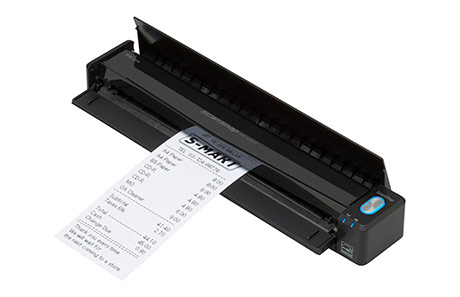
With "Dual Scan" function, users can scan 2 small sized documents such as business card and receipt at the same time. Also, even charts and diagrams larger than A4 can be scanned as well. Just fold it in half, scan both sides and the iX100 will automatically stitch it back together.
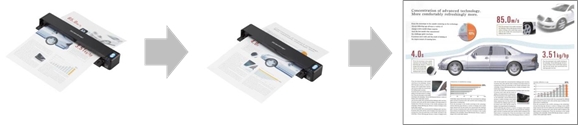
Scanning a two-side document using Continuous Document Feeding
The "Continuous Document Feeding" function allows users to insert pages one after another without pressing any extra button by detecting when a sheet enters and exits the iX100.
Smooth scanning for various types of documents
The iX100 can scan a variety of papers: from the standard office paper to the plastic ID card.
Scan anywhere you want whenever you want
Connect the iX100 to your computer or smart device (both iOS and Android OS)*1 in your office and at home, using existing Wi-Fi environments with Access Point Connect Mode*2. Connecting is also possible in environments without Wi-Fi using Direct Connect Mode, as the scanner itself functions as an access point.

*1 When using smart devices, ScanSnap Connect Application is required.
*2 Access Point Connect Mode requires a Wi-Fi access point or router.
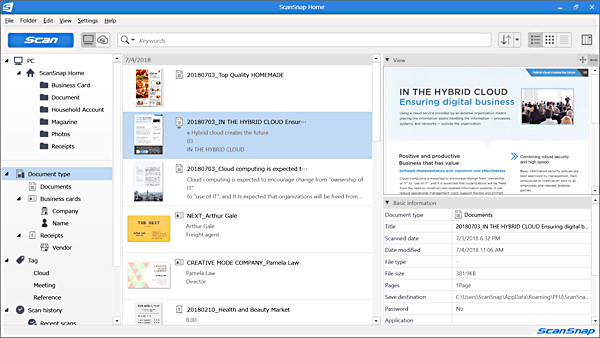
Best experience with ScanSnap Home
ScanSnap Home combines all your favorite functions into one and is the ultimate platform to utilize scanned data in various ways. Easily manage, edit and utilize data from documents, business cards, receipts and photos with the software. You can scan large volumes of various types of documents from color photos to double-sided landscape documents with a host of intelligent automatic image processing functions.
*Data can be transferred to ScanSnap Home from ScanSnap Organizer, ScanSnap Receipt and CardMinder.

Device-less scanning with ScanSnap Cloud
ScanSnap Cloud delivers scanned data directly from your ScanSnap iX100 to your favorite cloud services without a computer or mobile device. The software automatically classifies your file type by documents, receipts, business cards and photos, and sends it to the appropriate cloud based on your pre-set profiles.
You simply need to press the Scan button on your iX100. Your scanned data can then be managed within your selected cloud service.
* For countries where this service is available, please visit here.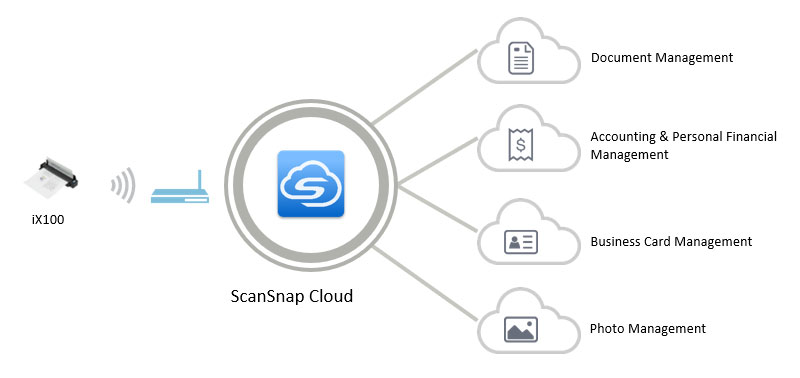
Cyber Security Act 2024 Compliant
Our scanners comply with the Cyber Security Act 2024. In accordance with the requirements of this legislation, our range of scanners will be supported until the required end of support date. This information can be found in the below PDF.
https://www.pfu.ricoh.com/global/scanners/eos/end_of_support_date.pdf
Specifications
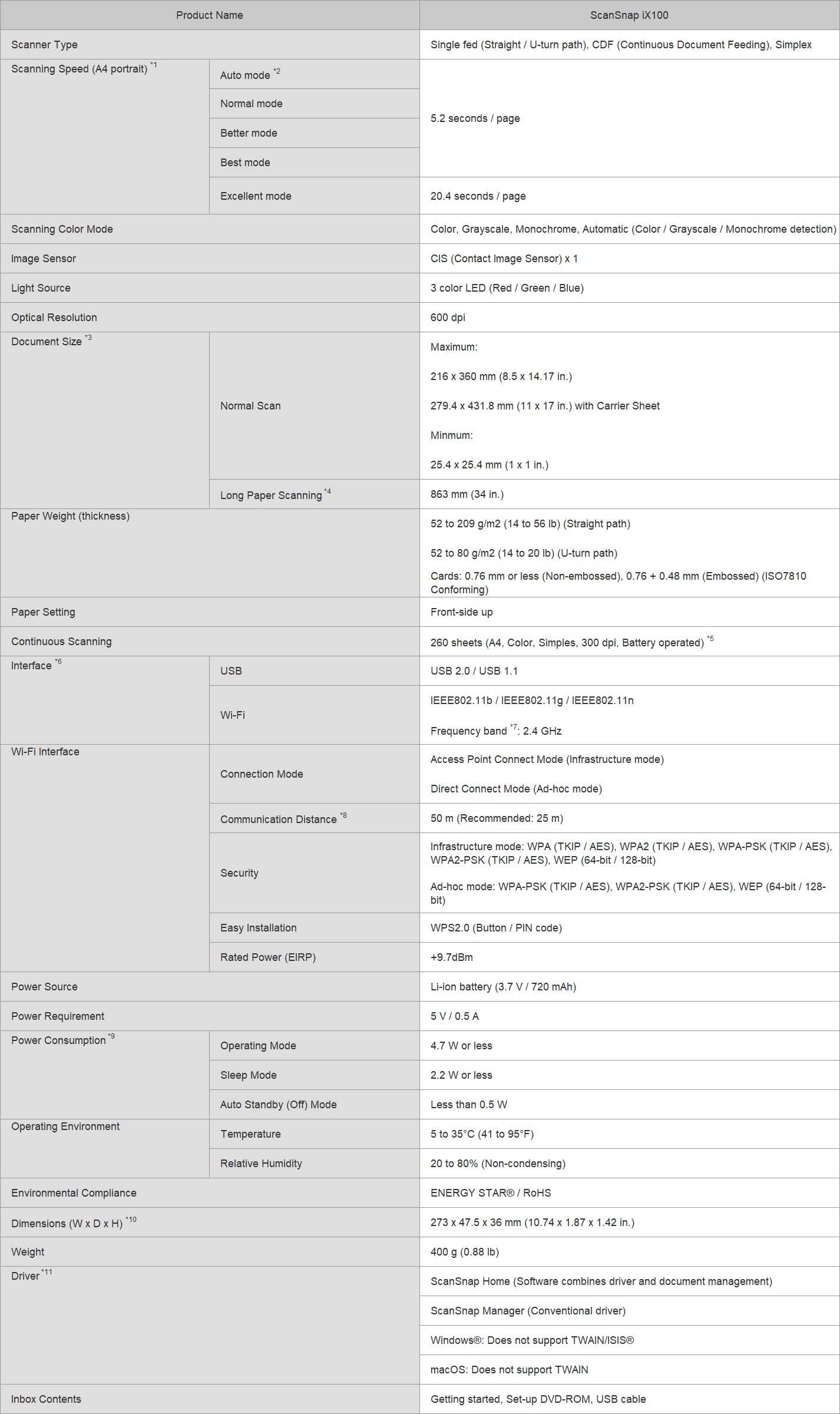
1. Scanning speeds may vary due to the system environment used. The time is measured between start of document feeding to finish of document output.
2. Scans will be made in "Best mode" if shorter sides are less than 148 mm (5.8 in.) and in "Better mode" if not.
3. Automatically stitch a two-page spread when scanning a folded A3, B4 or double letter size document one side at a time. The image is automatically stitched only if texts or diagrams cover across the two-page spread.
4. Capable of scanning documents that exceed A4 size in length except for 'Excellent mode'.
5. The number of sheets that can be scanned when connected to a computer via Wi-Fi with fully charged battery. The number of sheets may vary due to the system environment used, usage method and repeated charging.
6. Computer with USB 3.0 will work as USB 2.0 guaranteed only with USB cable provided with product.
7. Frequency may vary depending on country.
8. Communication distance may vary depending on surrounding environment and the access point to be connected.
9. When operating with battery.
10. When chute is closed.
11. Use in conjunction with ScanSnap Home or iX1500 requires ScanSnap Manager V7 and later.
System Requirements for PC
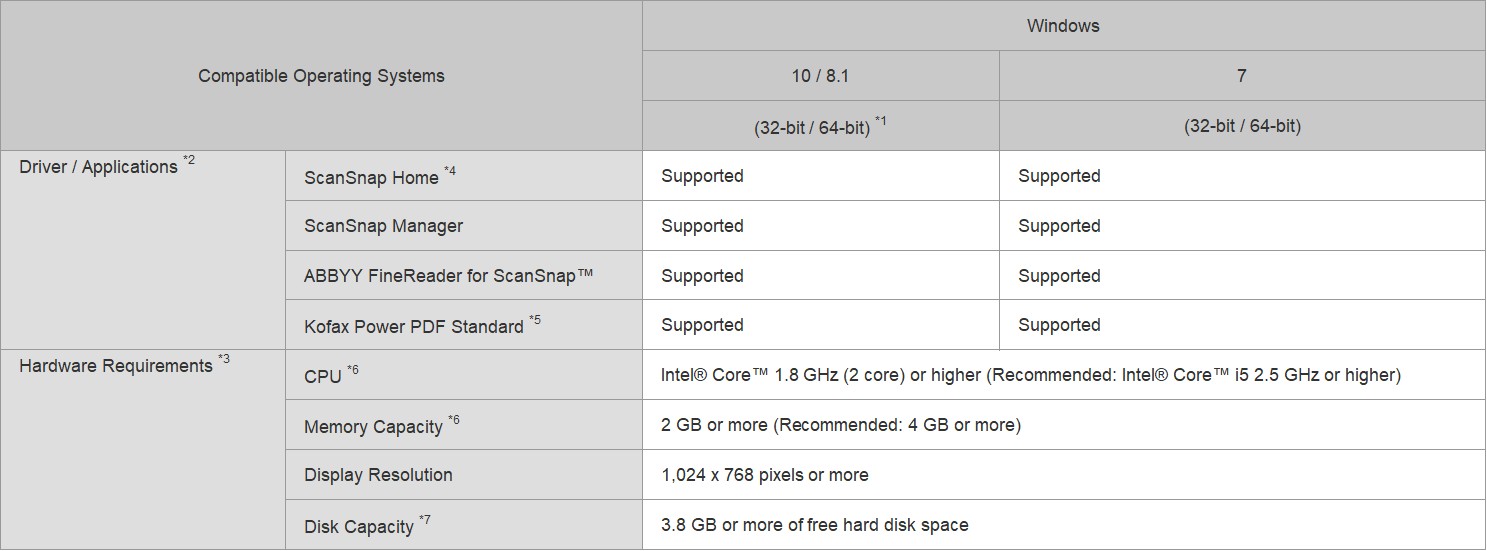
1. Operate Windows in desktop mode. ScanSnap scanners do not run with Windows® 10 ARM-based PCs such as Surface® Pro X (Microsoft®).
2. Operating systems listed in this table are the only ones supported. Please refer to the ScanSnap Support site for the latest support information.
3. The ScanSnap device may not work if the connected computer does not meet these requirements.
4. Installation requires a computer and Internet. Activation is also necessary for software use. Please visit the ScanSnap Support site for download information.
5. Please refer to the included license certificate to download the software.
6. Scanning speeds may drop if recommended CPU, memory capacity and USB 1.1 requirements are not met.
7. .NET Framework 4.7 or later must be installed. If it is not installed, it is installed with ScanSnap Home. Up to 4.5 GB of disk space is required for the installation.
*The system requirements may change depending on the duration of support and the support policy of the companies that make the software listed in the table above.
System Requirements for Mac
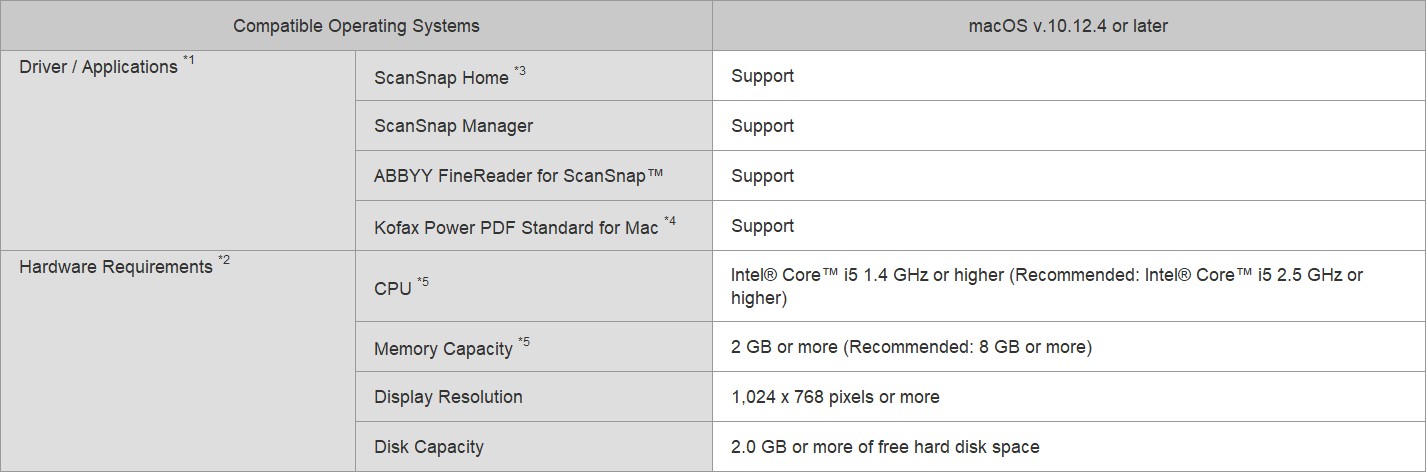
1. Operating systems listed in this table are the only ones supported. Please refer to the ScanSnap Support site for the latest information.
2. The ScanSnap device may not work if the connected computer does not meet these requirements.
3. Installation requires a computer and Internet. Activation is also necessary for software use. Please visit the ScanSnap Support site for download information.
4. Please refer to the included license certificate to download the software.
5. Scanning speeds may drop if the recommended CPU, memory capacity and USB 1.1 requirements are not met.
*The system requirements may change depending on the duration of support and the support policy of the companies that make the software listed in the table above.
System Requirements for iOS / Android™ / Kindle Fire (ScanSnap Connect Application)
Please refer to ScanSnap Connect Application specifications page.
Accessories
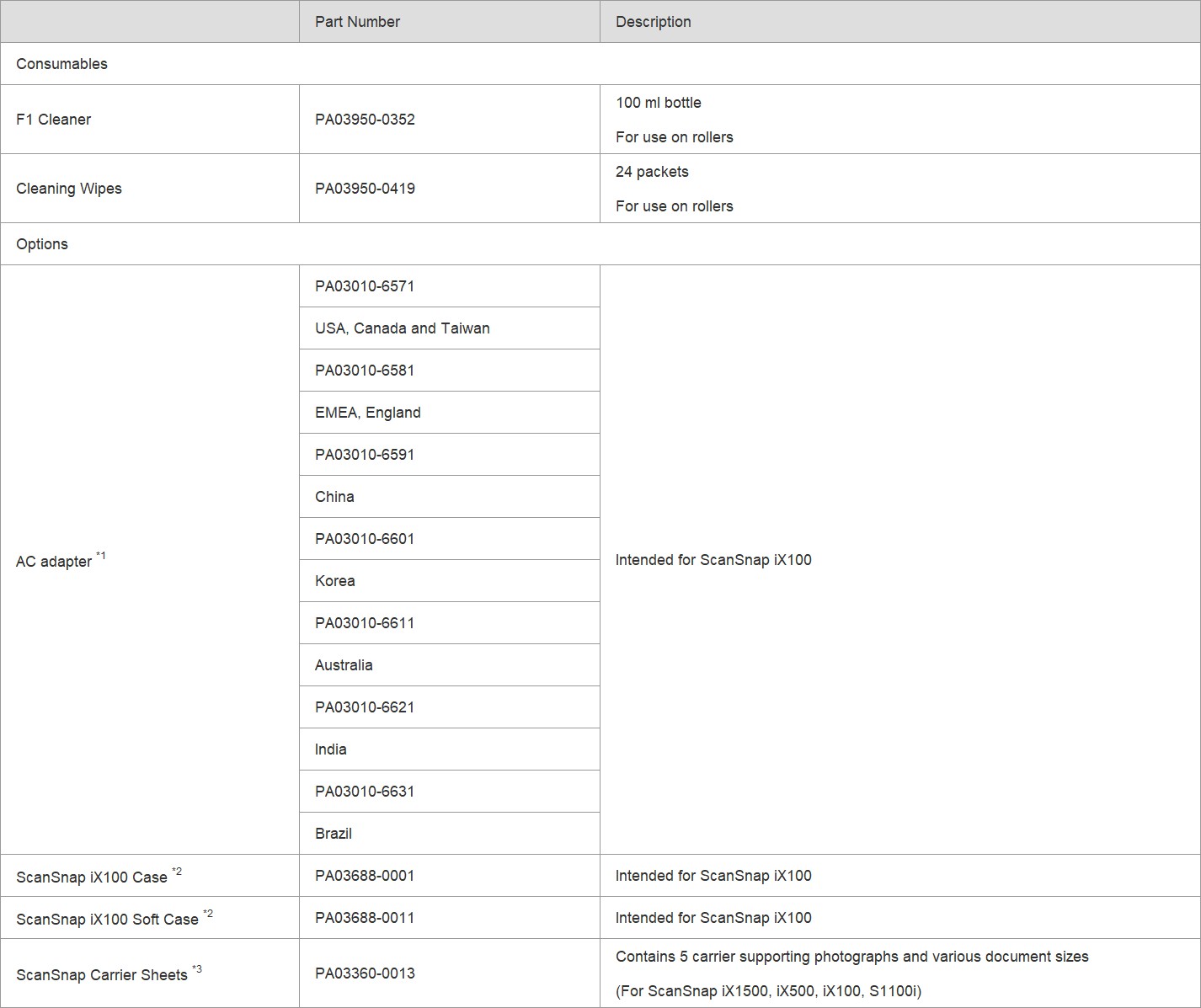
1. The AC adapter may vary depending on the country where you purchased the ScanSnap and the specifications of the ScanSnap.
2. This product has been especially designed for storing and carrying ScanSnap iX100. Please note that this product is not guaranteed to withstand damage by excessive shock or external pressure.
3. Although ScanSnap Carrier Sheets have a listed lifespan of 500 scans, the lifespan may vary with usage. ScanSnap Carrier sheets are intended to scan paper documents with weights of 127 g/m² or less. They also support the scanning of folded documents that are as large as 216 x 297 mm.
*We recommend the use of our genuine products for the consumables. Failures, troubles, and damage of this product resulting from the use of consumables other than our genuine products are subject to repair fees even within the warranty period.
Video
Warranty
Find out the details about your product's warranty and information on how to extend your warranty.
Warranty Information (Worldwide)